UKG Pro
- 4.2
- Rating
- 5.00M
- Installs
- Free
- Price

 Analysis by App-foxy
I found UKG Pro most useful when I treated it as a mobile doorway into work rather than as a complete replacement for every desktop HR task. It is a business app from UKG, Inc., aimed at employees and managers who need to stay connected with workplace information while away from a computer. My overall view is positive, but with an important condition: its value depends heavily on whether an employer has configured UKG Pro well and which parts of the platform that organization actually uses.
The app is free to download and has an Everyone content rating, which makes it approachable for a broad workforce. It belongs to the business category and has passed the scale test with more than a million installs. Its average rating sits at 4.3 from roughly 72 thousand ratings, a healthy sign that many people find it practical in daily work. Still, those numbers do not change the central reality of an employee portal: the experience is only as useful as the information and tools connected to your employer’s account.
What using UKG Pro feels like in everyday work
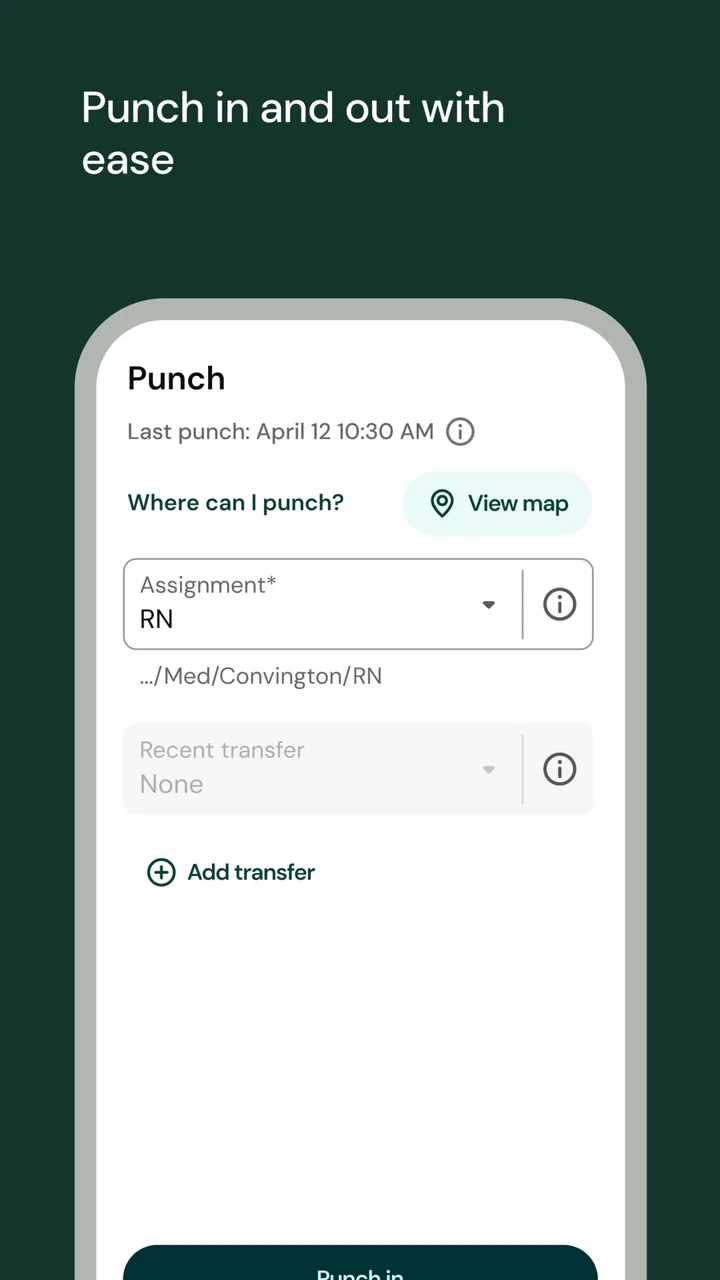
My first impression is that UKG Pro is built around convenience between shifts, meetings, commutes, and ordinary workplace interruptions. Instead of waiting until I reach a desktop, I can use the phone as the place to check work-related information when a quick answer matters. That makes the app especially relevant for people who are rarely seated at a desk, including retail staff, healthcare workers, hospitality teams, field employees, and anyone whose schedule changes from week to week.
You May Also Like

 Blood Strike: 2.5 Anniversary
Blood Strike’s Loadouts Turn Every Drop Into a Tactical Gamble
A close look at Blood Strike’s custom loadouts: how fast access to signature weapons reshapes its battle royale rhythm, rewards preparation, and narrows the gap between fights.

 Pandora - Music & Podcasts
Pandora’s Music Is Easy to Start, but Harder to Recover
Pandora’s strength is its low-effort path from a seed to a station. Its weak spot is how much confidence it asks you to place in connection, setup, and quiet recovery.

 8 Ball Pool
 Is Built on Rivalries, Rematches, and Routine
A close look at the rivalries, rematches, shared routines, and unanswered safety questions that turn a quick pool match into a persistent mobile community.

 Samsung Music
’s Quiet Strength Is Playing What You Already Own
Its reach comes less from spectacle than from dependable access to a personal library. That simplicity is both the app’s strongest retention engine and its ceiling.

 AccuWeather: Weather Radar
AccuWeather Review: A Quick, Clear Forecast for Everyday Decisions
For everyday plans, the best forecast is the one you can understand quickly. AccuWeather makes rain timing, radar, and local conditions easy to act on, with a few trade-offs.

 Hill Climb Racing
Why Hill Climb Racing Still Turns Crashes Into One More Run
A tiny car, a bumpy hill and one more upgrade: Hill Climb Racing keeps resurfacing because its simple chaos makes every near-miss feel personal.
More From Our News Desk



The strongest idea behind the app is consolidation. Rather than jumping between a separate scheduling tool, an HR website, and scattered workplace messages, an employee can have a more unified mobile work experience through one application. That does not automatically make every task effortless, but it reduces the mental friction of remembering where a particular piece of information lives.
A realistic example is a worker preparing for an early shift. The night before, they may want to check the upcoming schedule, confirm a change, review a workplace notice, and handle a routine HR task without opening a laptop. UKG Pro makes sense in that moment because the phone is already the most convenient device. The benefit is not flashy; it is the saved time and reduced uncertainty before work begins.
I also see value for managers who need to remain responsive without carrying a full office setup. A manager moving between departments or locations may need to review an employee-related item, stay aware of staffing information, or complete an approval workflow from a phone. The mobile format is better suited to short, focused actions than to long administrative sessions.
A useful companion, not a universal HR replacement
The distinction between mobile companion and full HR replacement matters. UKG Pro can make routine access easier, but I would not assume that every detailed policy, report, configuration screen, or complicated administrative process belongs on the phone. Mobile apps are strongest when the task is clear and time-sensitive. They are less comfortable when the user must compare many fields, enter lengthy information, or investigate an unusual employment issue.
That trade-off shaped my opinion of the app. I like it for checking and acting quickly, especially when the alternative is finding a computer. I would still choose a larger screen for work that requires careful review. The app is therefore most convincing as part of a broader workplace system, not as the only place an organization manages people.
Where the mobile approach saves real effort
One less obvious advantage is the way a mobile HR app can change the timing of small tasks. Employees often postpone administrative work because it feels too minor to justify opening a desktop portal. When the same task is available during a natural pause, it is more likely to be completed immediately. That can be useful for schedule-related actions, employee updates, or manager approvals that otherwise sit in a queue.
Another practical strength is context. A worker checking information while already preparing for a shift may notice a conflict or missing detail sooner than someone who only reviews work information at the end of the week. The app does not solve staffing problems by itself, but faster visibility can help people raise questions before they become last-minute emergencies.
I would also recommend using the app as a deliberate “check, act, leave” tool. Open it with one goal, complete that goal, and close it. That approach works better than browsing around without knowing what needs attention. On a small screen, focused use reduces mistakes and makes the mobile experience feel much less cumbersome.
What determines whether the app is genuinely useful
The most important factor is not the download itself but the employer’s setup. UKG Pro serves organizations with different processes, permissions, and priorities. One employee may see a rich set of workplace tools, while another may have access to only a narrower selection. That means two people can install the same app and come away with very different impressions.
This is also why I would not judge the app solely by a single missing option. If a function is unavailable, the limitation may reflect the organization’s configuration rather than the mobile application’s general design. Before assuming something is broken, I would check whether the employer normally handles that task through UKG Pro and whether the user account has the required access.
For a new user, the best first step is to identify the two or three actions they expect to perform most often. If those actions are available and easy to reach, the app will probably earn its place on the phone. If the organization mainly uses another system for scheduling, communication, or payroll-related work, UKG Pro may feel less central even though it remains installed.
The main weakness: mobile convenience has boundaries
My biggest criticism is that the app can feel dependent on workplace complexity. The more processes an organization places behind different rules and access levels, the more effort it may take for an employee to understand what the app can actually do. A person may open it expecting a single, clear employee hub and instead need to learn which areas apply to their role.
That learning curve is not necessarily severe, but it can be frustrating for occasional users. Someone who only opens the app when a schedule changes may forget where a particular action is located. A manager with broader responsibilities may face even more navigation because the app has to serve both everyday employee needs and administrative workflows.
There is also a natural compromise between speed and detail. A phone is excellent for a quick confirmation, but less ideal for reading lengthy information or checking several related records side by side. I would be cautious about completing complicated HR work in a hurry on a small display. When accuracy matters more than speed, using the desktop version or contacting the appropriate workplace administrator may be the better choice.
Another point worth considering is that the app’s usefulness can be uneven across the week. During a schedule-heavy period or a change in workplace routines, it may become an essential tool. At quieter times, it may offer little reason to open it. That is not a flaw unique to UKG Pro, but it does mean users should not expect constant value in the way they might from a messaging or productivity app.
How it compares with common alternatives
Compared with a basic company intranet, UKG Pro has a more employee-centered mobile purpose. An intranet may be better for long-form policies, broad announcements, and reference material, but it often feels awkward on a phone. UKG Pro is more appealing when the user needs a personal, work-related action rather than a general information page.
Compared with a dedicated scheduling app, its advantage is breadth. A scheduling-only tool may be faster if all someone ever needs is a shift list, but it does not necessarily provide the wider HR connection that makes UKG Pro useful. On the other hand, a specialized scheduling app can feel simpler because it has fewer competing sections and fewer role-based possibilities.
Compared with email, UKG Pro is better suited to structured employee information. Email is flexible, but important details can become buried among unrelated messages. A dedicated work platform gives those details a more predictable home. I would still expect email to remain important for conversations and unusual requests; UKG Pro is not a substitute for every communication channel.
Compared with a desktop HR portal, the app wins on access and loses on workspace. I prefer it for quick checks, short approvals, and actions that arise away from a desk. I prefer the browser for careful reading, complex updates, and anything that benefits from a larger screen. The best choice is not either-or: each format serves a different kind of work.
Who will get the most from it
I think UKG Pro is a strong fit for employees whose workday is mobile, whose schedules matter, or whose employer actively uses the platform for routine HR processes. It is particularly sensible for people who do not want to wait until they are at a computer to check workplace information. Managers can also benefit when their role involves frequent movement and quick decisions rather than long sessions of administration.
It is less compelling for someone whose employer barely uses the platform or whose work is already organized effectively through another HR system. I would also hesitate to recommend it as the primary tool for users who need detailed reporting, extensive data entry, or document-heavy administration. Those users may appreciate having mobile access, but they are likely to prefer a desktop environment for the bulk of their work.
Employees concerned about whether the app will cover a specific task should ask a practical question before relying on it: does my organization use UKG Pro for this process, and is that process enabled for my role? That question is more useful than simply asking whether the app supports the task in general. The answer can vary by employer, department, and account permissions.
Details that matter before installing
The app is free, which removes the usual financial barrier for employees deciding whether to try it. It was released on October 2, 2023, and the current version is 5.04.01.0701. It requires Android 8.0 or later, so anyone using an older Android device should check compatibility before planning around it.
UKG, Inc. is the developer behind the app. Its broad adoption and substantial review history suggest that it is not an obscure experiment, but popularity should be interpreted carefully here. A workplace app can receive many positive experiences while still producing frustration for users whose employers have a limited configuration or whose particular workflow is not mobile-friendly.
I would also approach the first setup with patience. Have your employer’s sign-in details available, make sure you know which organization account to use, and avoid judging the app before confirming that you are entering through the correct workplace environment. If access fails, the fastest solution may be an internal HR or IT contact rather than repeatedly reinstalling the app.
My verdict for employees and managers
After looking at how it fits into real work, I see UKG Pro as a practical bridge between employees and workplace administration. Its best quality is not that it tries to do everything on a phone; it is that it brings useful work information closer to the moments when people actually need it. For a worker checking a shift detail before leaving home or a manager handling a quick action between responsibilities, that convenience is meaningful.
The limitations are equally clear. The experience can depend on employer configuration, role permissions, and the complexity of the task. It is not the ideal environment for every HR process, and users who expect a complete desktop replacement may be disappointed. I would use it confidently for focused mobile work, while keeping a browser-based option available for detailed administration.
My recommendation is straightforward: install it if your employer relies on UKG Pro and you regularly need work information away from a desk. It is especially worthwhile for shift-based employees and managers who value quick access. If your workplace uses only a small portion of the platform, or if your needs are mostly document-heavy and analytical, treat it as a useful companion rather than your main HR workspace. In that role, it does its job well and earns the positive impression reflected by its 4.3 average.
FAQs for UKG Pro
01What is UKG Pro and what does it offer?
UKG Pro is a comprehensive HR and payroll solution designed to streamline workforce management for businesses. It offers features such as employee self-service, benefits administration, talent acquisition, and performance management. The app aims to enhance productivity by providing tools for both employees and HR professionals to manage essential tasks efficiently.
02Is UKG Pro user-friendly for employees and administrators?
Yes, UKG Pro is designed with a user-friendly interface that caters to both employees and administrators. Employees can easily access their payroll information, benefits, and schedules. Meanwhile, HR administrators can efficiently handle data management and reporting. The intuitive design helps reduce the learning curve, making it accessible for all users.
03What devices and operating systems support UKG Pro?
UKG Pro is available for both Android and iOS devices, ensuring wide accessibility for users. The app can be downloaded from the Google Play Store and the Apple App Store. It is optimized for smartphones and tablets, allowing users to access their information on-the-go, providing flexibility and convenience.
04How secure is the data on UKG Pro?
UKG Pro prioritizes data security by employing robust security protocols, including encryption and compliance with industry standards. User data is protected through secure login processes and regular updates to address potential vulnerabilities. The platform ensures that both personal and organizational information remains confidential and secure from unauthorized access.
05Does UKG Pro offer customer support for users?
Yes, UKG Pro provides comprehensive customer support to assist users with any issues or inquiries. Support options include a detailed online help center, tutorials, and customer service representatives available via phone or email. This ensures that users can quickly resolve problems and make the most of the app’s features.
Pros
- User-friendly interface simplifies navigation.
- Customizable dashboard for tailored experience.
- Comprehensive payroll management features.
- Seamless integration with other HR tools.
- Mobile access for on-the-go management.
Cons
- Occasional sync issues with external systems.
- Initial setup can be time-consuming.
- Limited offline functionality.
- Some features require additional training.
- Customer support response can be slow.

UKG Pro
Gallery